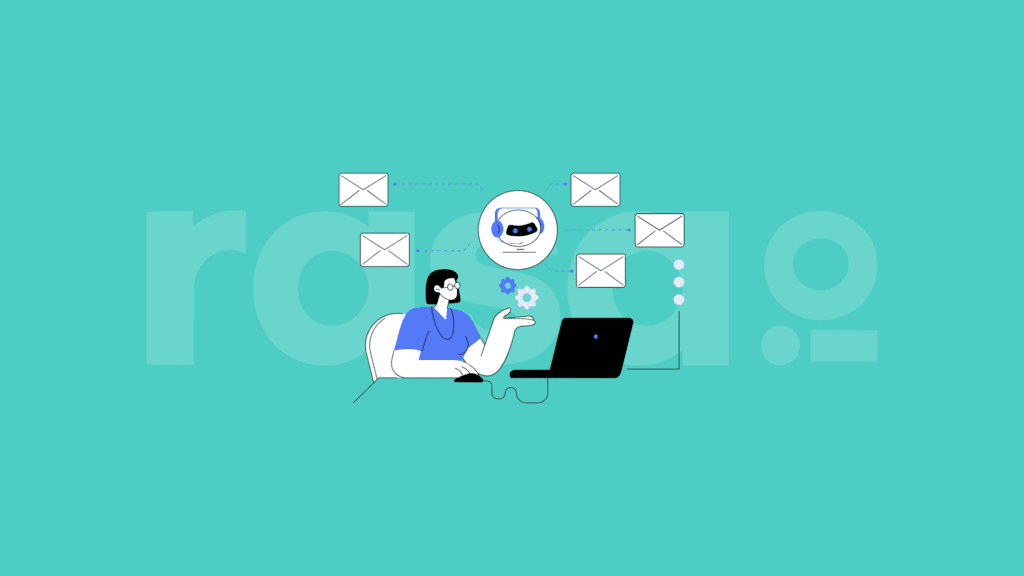
With 33% of online donors saying email is the communication method most likely to inspire them to donate, email marketing is one of the best ways to reach supporters and drive them to take action.
However, just because many donors prefer emails doesn’t mean they’ll respond well to just any email. Amplify the power of this preference by crafting conversion-focused newsletters and appeals.
This guide will explore tips to help you develop email communications that engage your audience and maximize conversions.
Match Volunteer Opportunities With The Right Person
With the rasa.io’s Campaign tool, send emails that match the
right volunteer opportunity with the right person.
1. Focus your email on one ask.
Multiple asks in a single email can confuse readers. How will they know which one is most important? If you don’t specify, they may leave your email without taking any action.
Instead, decide on a single conversion for the email based on your current goals. Potential asks may include:
- Donating to your organization or a specific campaign
- Signing up to volunteer
- Registering for an event
- Signing a petition
- Submitting a matching gift request
- Becoming a recurring donor
- Completing a survey
Then, design your email around this action. By narrowing your focus, you’ll ensure your email content is cohesive and encourages supporters to consider one request at a time so as not to overwhelm them.
2. Segment your email communications.
Once you have your ask, determine how you can personalize your messages to make them more impactful. Consider which segments it would make sense to send this type of email to, group your supporters accordingly within your nonprofit CRM, and customize your messaging to these specific audiences.
For example, let’s say you want to send an email encouraging supporters to sign up to volunteer at your next event. You may develop segments for past volunteers and supporters who have expressed interest in volunteering but haven’t yet registered.
While your email to past volunteers may welcome them back and reference past events they’ve volunteered for, your communication with prospective volunteers may delve deeper into what the volunteer experience entails and include testimonials from regular volunteers. When you tailor your email content to supporters’ needs, they’ll feel understood by your organization and be more likely to consider your ask than if they received a generic email making the same request.
3. Optimize your subject lines.
The subject line is the first thing a supporter sees when your email reaches their inbox. Grab their attention right away by using these techniques to make your subject lines memorable:
- Add supporters’ names. 71% of consumers expect companies to deliver personalized interactions, and 76% get frustrated when that doesn’t occur. Why would nonprofit supporters be any different? By simply using automation to insert supporters’ names into your subject lines, you can personalize their experiences from the first glance at your emails and entice them to click through to view the rest of the content.
- Create a sense of urgency. While you don’t want to overuse urgent appeals, sometimes, driving action requires people to understand they must act immediately. If you need supporters to respond quickly, use emotionally charged words and clarify the impact they could make. For example, your subject line may look something like, “Erica, sign this petition today to help us halt a construction project in our community that will destroy local animal habitats.”
- Pose a question. A question can draw supporters in and make your email stand out in their inboxes. For instance, an email with the subject line “Will you join the fight against climate change?” is a lot more compelling than “Climate Change Campaign 2026.”
Alternatively, you may try to make your subject lines relevant to current events or trends to encourage supporters to click through. They’ll appreciate your creativity and likely be curious about the connection between your work and the topic at hand, causing them to open your email and engage with it.
4. Make your calls-to-action (CTAs) specific.
Donors should know exactly where a call-to-action button will lead and what they have to do once they land on the next page. Considering personalized CTAs convert 202% better than generic ones do, avoid using stale CTA language like “Click here,” and opt for more specific, action-oriented wording like:
- “Donate to provide meals to a local family in need today.”
- “Register for our silent auction event on February 3rd.”
- “Submit a matching gift request to your employer to double your donation’s impact.”
These examples guide donors to their next action and make it clear where they will end up when they click. While the donation CTA would direct users to the nonprofit’s donation page, the auction CTA would lead to the event registration page, and the matching gift CTA would take users to a matching gifts page.
5. Design your emails for scannability.
You have limited time to grab and sustain donors’ attention. Plus, 53% of nonprofit website traffic comes from mobile devices, meaning many supporters might use their phones to view your emails and visit your site.
Since mobile devices display less text at a time, and you need to draw supporters in quickly, your emails should be easily scannable. Structure your emails strategically by:
- Using short paragraphs. Large paragraphs can turn supporters away before they even get to the heart of your message. The same information broken into smaller sections is more manageable and easier to parse through.
- Bolding key phrases. If a supporter has only a few seconds to read your email, you’ll want to ensure they grasp the key points. Bold the most important phrases to ensure they understand why you’re sending the email and what action they should take next.
- Leveraging bullets. Bulleted lists make your emails easy to scan and digest. For example, let’s say you’re sending an email about your upcoming in-kind donation drive. Creating a bulleted list for the items you’re collecting helps donors quickly understand what they can contribute, making them more likely to follow through.
In general, keeping your emails concise makes it more likely that supporters will read the entire message and get to your final CTA. Bloomerang’s email marketing for nonprofits guide recommends keeping urgent campaign emails under 50 words, donation thank-you emails between 50 and 75 words, supporter welcome emails between 75 and 100 words, and newsletters between 100 and 200 words.
6. Include impact information.
Donors should know exactly how their actions will make a difference. Attach different donation amounts (or any other action you’re trying to promote) to real impact so supporters are more likely to follow through.
For instance, a higher education institution may explain that:
- $100 covers one month’s subscription to an academic journal database for one of our departments
- $300 covers a student’s textbooks for a semester
- $1,000 covers travel fees for a student to present research at an academic conference
Having this information will make donors’ impact more tangible and may even inspire them to give more than they had initially intended to expand their influence. Consider incorporating videos into your emails to bring this impact information to life and help donors connect with your beneficiaries.
7. Reassure donors about your privacy regulations.
Make donors feel confident in their decision to support your organization. Address potential fears they may have about contributing to your organization near your CTAs so they feel more comfortable clicking through and completing the desired action.
Considering 60% of nonprofits have reported experiencing a cyberattack in the last two years, and 70% lack a formal cybersecurity policy, supporters may be hesitant to enter their payment details on your donation page. By adding a note to your email explaining that you use PCI-compliant payment processing tools to protect donor data, you can reassure supporters that donating to your organization is safe, leading them to convert.
Final Thoughts on Conversion-Focused Nonprofit Email Content
Ultimately, crafting nonprofit email content that converts is all about thinking from the donor’s perspective. If you were supporting a nonprofit cause, what would ultimately lead you to open an email from that organization and take action rather than just scrolling past?
Additionally, consider conducting A/B testing to see what works for your specific audience. By changing small elements of your email communications—such as subject lines or CTA language—one at a time, you can pinpoint the exact choices that lead supporters to convert and replicate those approaches in future messages.